Introduction: The Reality of the Digital Age
The modern internet has transformed the way we live, work, learn, and connect. With a single tap on a smartphone, you can bank, shop, manage your home, and communicate with loved ones across the globe. However, this unprecedented convenience comes with a significant dark side. Every single day, cybercriminals target ordinary people, and it often takes just one minor oversight to transform an unsuspecting internet user into a victim of cybercrime.
Many people mistakenly believe that hackers only target multinational corporations, government agencies, or high-profile billionaires. In reality, everyday internet users are the primary targets of modern cyber threats. Automated tools, bots, and malicious software scan the internet around the clock, looking for easy vulnerabilities, weak passwords, and unprotected devices. Your passwords, your money, and your identity are incredibly valuable assets on the digital black market, making personal cyber security an absolute necessity.
The primary hurdle for most individuals seeking to protect themselves is that traditional cybersecurity advice is frequently written by IT professionals, for IT professionals. It is often packed with confusing technical jargon, complex acronyms, and overwhelming instructions that leave the average reader feeling helpless. This guide is explicitly designed to break down those barriers by focusing on actionable personal cyber security measures. Written for everyday people—including students, parents, professionals, retirees, and small business owners—this comprehensive guide provides practical, easy-to-follow personal cyber security strategies that require absolutely no technical background. By understanding how digital threats operate and implementing simple, proactive habits, you can take complete control of your digital security and safeguard what matters most.

1. How Hackers Target Everyday Internet Users
To effectively defend yourself in the digital space, you must first understand how cybercriminals think and operate. Hackers rarely deploy sophisticated, military-grade code to break into an individual’s computer. Instead, they rely on the path of least resistance, which is why baseline personal cyber security is so critical. They exploit human psychology, predictable behavior, and unpatched software vulnerabilities to gain unauthorized access to personal information.
The Economics of Mass Cybercrime
Cybercrime is a highly organized, multi-billion-dollar global industry. Modern hackers utilize automated scripts and software programs to send out millions of malicious messages, scan thousands of home Wi-Fi networks simultaneously, and test stolen credentials across hundreds of popular websites. They do not need to know who you are personally; they simply play a numbers game.
If a hacker sends out one hundred thousand malicious emails and only a fraction of a percent of recipients fall for the trap, the attack is highly profitable for them. This hands-off approach by criminals emphasizes why proactive personal cyber security measures are so vital today. Your personal computer or smartphone can also be compromised to join a “botnet”—a network of hijacked devices used to launch larger attacks against major infrastructure, unless you have established strong defensive habits.
Social Engineering: Manipulating Human Nature
The most potent weapon in a cybercriminal’s arsenal is social engineering. This is the art of manipulating human psychology to trick individuals into handing over confidential information, clicking malicious links, or downloading dangerous software. Hackers understand that human beings are naturally inclined to trust authority, react quickly to emergencies, and seek out financial opportunities.
By creating a false sense of urgency, fear, or excitement, attackers bypass technical security systems entirely by convincing the user to open the virtual front door for them. Relying only on standard antivirus software is no longer enough; mastering the basics of personal cyber security is what truly protects you from these psychological tricks.
2. How to Recognize Phishing Emails and Online Scams
Phishing is the absolute cornerstone of modern social engineering. It is a deceptive technique where attackers send fraudulent communications designed to look like legitimate organizations, such as banks, government agencies, streaming services, or online retailers. The goal is to trick you into revealing sensitive information like login credentials, credit card numbers, or social security details.
When it comes to practical personal cyber security, identifying these fake messages before interacting with them is your most powerful weapon. If you know what to look for, you can easily avoid the most common online traps.
+-------------------------------------------------------------------------+
|                          ANATOMY OF A PHISHING EMAIL                     |
+-------------------------------------------------------------------------+
| From: Alert-Support <security-update-n9283@fraudulent-domain.com>        |
| To: User@example.com                                                    |
| Subject: URGENT: Your account has been suspended!                       |
|                                                                         |
| Dear Customer,                                                          |
| We detected suspicious login attempts on your account. [1]              |
| You must verify your identity within 24 hours or your funds will        |
| be permanently frozen. [2]                                              |
|                                                                         |
| Click here to secure your account: http://bit.ly/fake-login-link [3]    |
|                                                                         |
| Thank you,                                                              |
| Global Bank Security Team                                               |
+-------------------------------------------------------------------------+
| KEY RED FLAGS:                                                          |
| [1] Generic greeting ("Dear Customer")                                 |
| [2] Artificial urgency / Threat of financial loss                       |
| [3] Suspicious, mismatched, or shortened URL link                       |
+-------------------------------------------------------------------------+
Key Red Flags of Phishing Communications
- Urgent or Threatening Language: Phishing emails often claim your account is suspended, a fraudulent payment has occurred, or legal action will be taken if you do not respond immediately. This artificial urgency is designed to make you act before you think, which undermines your personal cyber security posture.
- Mismatched and Suspicious Sender Addresses: Always inspect the actual email address of the sender, not just the display name. If an email claims to be from Amazon or Netflix, but the sender address ends in @security-update-mail.com, it is a definitive scam.
- Generic Greetings: Legitimate companies with whom you hold an account will almost always address you by your actual first and last name. Phishing emails frequently use generic greetings such as “Dear Customer” or “Valued Member.”
- Hyperlinks to Unfamiliar Websites: Before clicking any link, hover your mouse cursor over the link to preview the actual web address (URL). A core rule of personal cyber security is to never trust a link that does not exactly match the official website domain.
- Unexpected Attachments: Be incredibly wary of unsolicited emails containing attachments, particularly files ending in .exe, .zip, or even macro-enabled documents like .docm. These files often contain malicious software designed to bypass your system defenses. Developing a strict habit of scanning every unknown file type before opening it is crucial to upholding a solid baseline for your personal cyber security.
Emerging Variations: Smishing and Vishing
Phishing is no longer restricted to your email inbox. Cybercriminals have adapted their tactics to exploit mobile communication channels, forcing users to extend their personal cyber security habits to their mobile screens.
- Smishing (SMS Phishing): This involves fraudulent text messages sent directly to your smartphone. These messages often masquerade as package delivery notifications or urgent alerts from your bank regarding a blocked debit card. They contain a malicious link designed to harvest your credentials. Recognizing these fake alerts is a crucial part of proactive personal cyber security defense.
- Vishing (Voice Phishing): This involves phone scams where fraudsters impersonate representatives from tech support companies or bank fraud departments. Utilizing voice-over-IP technology to spoof legitimate caller ID numbers, they attempt to verbally extract passwords or verification codes from unsuspecting individuals.
3. Password Strategies That Dramatically Improve Security
Your passwords represent the primary line of defense protecting your digital life. Unfortunately, the vast majority of people utilize weak, easily guessable passwords or reuse the exact same password across multiple online accounts. If a hacker breaches a low-security cooking forum where you used your standard password, they will immediately attempt to use that same combination to access your primary email, Amazon account, and online banking dashboard.
The Anatomy of a Weak Password
Many individuals believe that substituting letters with numbers or symbols—such as changing “Password” to “P@ssw0rd1″—makes their account completely secure. In reality, automated cracking software programs are pre-programmed to guess these exact variations instantly. Furthermore, any password that contains easily discoverable personal information, such as your pet’s name, your birth year, your favorite sports team, or the street you grew up on, can be easily bypassed by cybercriminals through basic research on your public social media profiles. Avoiding these common mistakes is the first step toward improving your baseline personal cyber security.
+-------------------------------------------------------------------------+
|                       PASSWORD STRENGTH COMPARISON                      |
+-------------------------------------------------------------------------+
| Password Type     | Example                  | Time to Crack            |
+-------------------+--------------------------+--------------------------+
| Short & Complex   | P@ssw0rd1!               | Minutes to Hours         |
| Dictionary Words  | Sunshine2024             | Seconds                  |
| Long Passphrase   | correct-horse-battery    | Centuries                |
| Random Complex    | 9#kL!mQ2@zP$vW           | Millenniums              |
+-------------------------------------------------------------------------+
The Power of Passphrases
To create an incredibly strong password that is both impossible for automated tools to guess and easy for you to remember, you should utilize the passphrase method. A passphrase consists of a string of several random, unrelated words joined together. For example, a combination like correct-horse-battery-staple or blue-elephant-running-skyward creates an exceptionally long password. Because length is the single most critical factor in determining cryptographic strength, adopting passphrases is one of the easiest ways to upgrade your personal cyber security strategy today.
Embracing Dedicated Password Managers
Remembering unique, complex passphrases for dozens of different online accounts is humanly impossible. This is why utilizing a reputable password manager is one of the most effective personal cyber security choices you can make. A password manager is an encrypted digital vault that securely generates, stores, and automatically fills in complex passwords for all your online services.
- By using a password manager, you only ever need to remember one single, highly secure master passphrase to unlock your entire vault. Many top-tier tools work seamlessly across all your devices, ensuring your personal cyber security remains solid whether you are using your computer, web browser, smartphone, or tablet.
- Many top-tier password managers work seamlessly across all your personal devices, including your computer, web browser, smartphone, and tablet, ensuring your credentials are safe and accessible wherever you go.
Implementing Multi-Factor Authentication (MFA)
Even if a cybercriminal manages to successfully steal or crack your password, you can completely block their access by enabling Multi-Factor Authentication (MFA), also widely known as Two-Factor Authentication (2FA). MFA requires you to provide two or more distinct proofs of identity before granting access to an account. This typically involves entering your standard password followed by a unique, time-sensitive code sent to an authentication app on your smartphone, a physical security key, or an SMS message.
Enabling MFA on your critical accounts—such as your primary email, online banking, and social media profiles—adds an incredibly robust layer of defense. It acts as a safety net that protects your accounts even when other personal cyber security measures are overlooked.
4. Safe Online Shopping and Banking Practices
Online shopping and digital banking have fundamentally revolutionized personal finance, allowing us to manage our funds and purchase goods from anywhere in the world. However, because these platforms interact directly with your hard-earned money, they are high-priority targets for online criminals. Protecting your financial data requires a blend of vigilance, safe habits, and the utilization of secure payment mechanisms to maintain strong personal cyber security.
Securing Your Connection and Verifying Websites
Before entering any sensitive financial data or personal information into a website, you must ensure that your connection to the site is fully encrypted. Look at the address bar of your web browser to confirm that the URL begins with https:// rather than simply http://. The “s” stands for secure and indicates that the data transmitted between your device and the website is encrypted, preventing third parties from intercepting it.
Additionally, look for the small padlock icon in the browser bar. However, be aware that fraudulent websites can also obtain encryption certificates, so always double-check the spelling of the domain name to ensure you are not on a lookalike spoof site designed to mimic a legitimate retail outlet. Verifying every web domain is a foundational rule of personal cyber security.
Safe Payment Strategies
- Prioritize Credit Cards Over Debit Cards: When shopping online, always utilize a credit card rather than a debit card whenever possible. Credit cards offer significantly stronger consumer protection laws against fraud. If your credit card details are stolen, you can dispute the unauthorized charges and the money does not leave your personal bank account. If your debit card is compromised, criminals can instantly drain your actual checking account, leaving you without access to cash while your bank conducts an investigation. Shifting your default payment methods is an excellent way to boost your practical personal cyber security.
- Utilize Digital Wallets and Virtual Cards: Services like Apple Pay, Google Pay, and PayPal offer exceptional security for online transactions. These payment platforms utilize tokenization, meaning they never share your actual credit card number with the merchant. Instead, they generate a one-time, unique digital token for that specific transaction. Many modern credit card providers and banking apps also allow you to generate virtual temporary card numbers dedicated to a single online purchase or specific merchant, ensuring your primary card details remain completely hidden and adding an extra shield to your personal cyber security infrastructure.
- Avoid Public Wi-Fi for Financial Transactions: Never log into your online banking portal or make retail purchases while connected to a public Wi-Fi network, such as those found in coffee shops, airports, or hotels. These networks are often completely unencrypted, allowing hackers to easily intercept your financial traffic using basic sniffing tools. If you must conduct financial transactions while away from home, disconnect from public Wi-Fi and use your smartphone’s cellular data connection, or utilize a reputable Virtual Private Network (VPN) to securely encrypt your internet traffic and protect your personal cyber security.
5. How to Protect Smartphones, Tablets, and Computers
Our personal devices store an immense amount of sensitive data, including private conversations, photographs, location history, and saved login credentials. Protecting this physical hardware from digital intrusion requires consistent maintenance and safe operating habits. When you secure your devices, you are strengthening the core of your personal cyber security defense, making it much harder for automated scripts or local attackers to compromise your data.
The Critical Importance of Software Updates
One of the simplest yet most effective cyber security habits you can establish is keeping your operating systems and software applications updated. Software developers regularly discover vulnerabilities in their programs that hackers can exploit to gain unauthorized control of a device. When these vulnerabilities are identified, developers release security patches to fix them.
If you repeatedly click “Remind Me Later” on update notifications, you leave your device exposed to known security risks. Enabling automatic updates on your computer, smartphone, smart TV, and tablet is a non-negotiable step to ensure you receive these critical security fixes as soon as they become available. Without these updates, your overall personal cyber security strategy remains heavily compromised.
+-------------------------------------------------------------------------+
|                        DEVICE SECURITY CHECKLIST                        |
+-------------------------------------------------------------------------+
| [ ] Enable automatic operating system and application updates           |
| [ ] Configure biometric locks (Face ID / Fingerprint) or strong PINs    |
| [ ] Install a reputable, trusted antivirus / anti-malware solution      |
| [ ] Disable automatic connection to unknown public Wi-Fi networks       |
| [ ] Review and restrict app permissions (Location, Camera, Contacts)    |
| [ ] Enable remote tracking and wiping features (e.g., Find My Device)   |
+-------------------------------------------------------------------------+
Securing Mobile Devices
Smartphones and tablets are essentially highly portable computers, and they deserve the exact same level of security scrutiny to maintain proper personal cyber security.
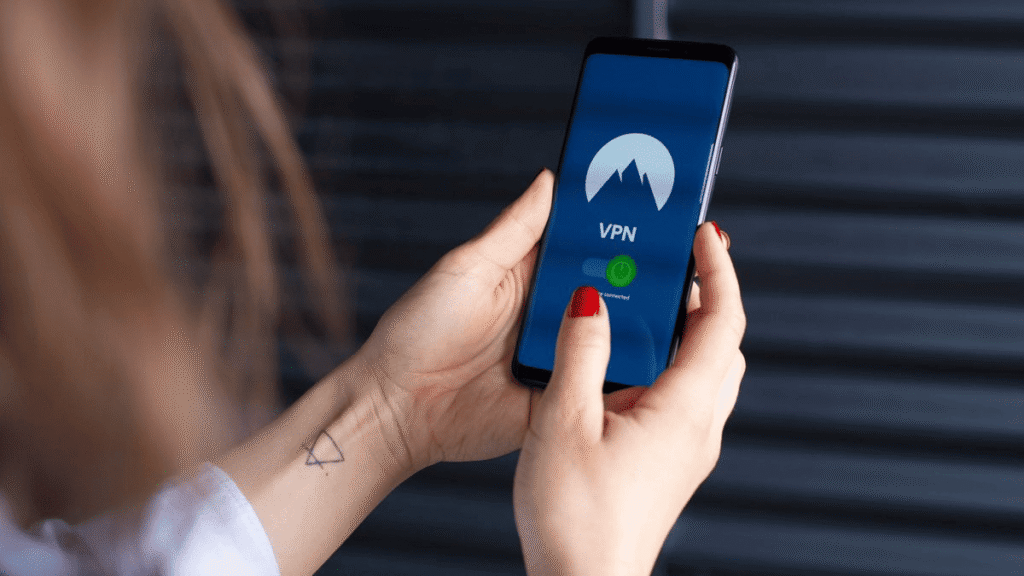
- Always protect your mobile devices with strong biometric authentication, such as fingerprint or facial recognition, or a complex six-digit passcode. Avoid simple, easily observable swipe patterns or predictable PIN combinations like 1234 or 0000.
- Only download applications from official marketplaces, such as the Apple App Store or Google Play Store. Third-party app stores or random download links on websites frequently distribute applications embedded with malicious software that bypasses your personal cyber security baselines.
- Regularly review the permissions granted to installed applications. If a basic calculator or flashlight application requests permission to access your contacts, microphone, and precise GPS location, deny the request and uninstall the application immediately, as it is likely gathering data for malicious monetization, which directly threatens your personal cyber security and privacy.
6. The Essentials of Online Privacy and Data Protection
Cyber security and online privacy are deeply interconnected concepts. While security focuses on protecting your data from unauthorized access, privacy focuses on controlling who has access to your data in the first place and how it is shared. In the modern digital economy, personal data is a highly valuable commodity, often harvested by data brokers and advertisers to build incredibly detailed profiles on your personal habits, preferences, and lifestyle. Managing this data trail is a vital element of your overall personal cyber security routine.
Auditing Social Media Privacy Settings
Social media platforms are a goldmine of personal information for identity thieves and social engineers. By default, many social media profiles are set to public, allowing anyone on the internet to view your posts, photos, employment history, and family relationships. Take the time to access the settings menu on platforms like Facebook, Instagram, LinkedIn, and X, and restrict your visibility so that only verified friends and connections can view your profile content.
Avoid participating in viral social media quizzes that ask seemingly innocent questions about your first car, your mother’s maiden name, or the city where you were born, as these are often designed to harvest the answers to standard account security questions and break through your personal cyber security defenses.
Protecting Your Data from Corporate Tracking
- Use Privacy-Focused Web Browsers: Consider utilizing web browsers designed with built-in tracking protection, such as Brave or Firefox, which automatically block intrusive third-party cookies and scripts designed to follow your activity across different websites.
- Leverage Privacy Search Engines: Transition away from search engines that track your search history to profile you for targeted advertising. Alternative search engines like DuckDuckGo offer high-quality search results without tracking your identity or logs, giving you better control over your digital footprint.
- Be Selective with Your Email Address: When signing up for temporary services, downloading free e-books, or accessing store discounts, avoid giving out your primary personal email address. Use alternative masked email aliases or dedicated secondary email accounts to keep your main inbox free from data tracking, data breaches, and targeted scams, which helps maintain excellent personal cyber security.
7. What to Do If You Have Been Hacked
Despite taking precautions, there may come a time when you or a family member experiences a security breach. Knowing exactly how to react quickly and decisively can minimize the potential damage, protect your finances, and help you regain full control of your digital footprint. When a breach happens, having a clear response plan is the ultimate test of your personal cyber security preparation.
Step 1: Disconnect and Isolate the Device
If you notice your computer behaving erratically, windows opening on their own, or an active ransomware message demanding payment, immediately disconnect the machine from the internet. Turn off the device’s Wi-Fi connection and unplug any hardwired internet cables. By taking the compromised machine offline, you instantly prevent the cybercriminal from extracting more data, communicating with the device remotely, or spreading malicious software to other connected devices on your home network. This quick isolation is an essential reactive personal cyber security step that minimizes network-wide disasters.
+-------------------------------------------------------------------------+
|                        BREACH RESPONSE PIPELINE                         |
+-------------------------------------------------------------------------+
|  [1. DISCONNECT]  --> Immediately take the infected device offline      |
|                                                                         |
|  [2. CHANGE PASS] --> Change credentials via a separate clean device    |
|                                                                         |
|  [3. NOTIFY BANK] --> Alert financial institutions of potential fraud   |
|                                                                         |
|  [4. SCAN & FIX]  --> Run comprehensive security scans to clean malware  |
+-------------------------------------------------------------------------+
Step 2: Change Your Credentials Using a Clean Device
Using a separate, uncompromised device—such as a secure smartphone or a different family computer—immediately begin changing the passwords for your most critical online accounts. Prioritize your primary email account first, as anyone with access to your email can easily initiate password resets across all your other web accounts.
Next, update the passwords for your financial portals, insurance providers, and major social media networks. Ensure that you choose new, unique, and long passphrases, and verify that your multi-factor authentication settings have not been altered by the attacker. Re-securing your credentials quickly is a major milestone in restoring your personal cyber security infrastructure.
Step 3: Notify Financial Institutions and Monitor Reports
If you suspect that your credit card numbers, banking credentials, or personal identity details have been compromised, contact your financial institutions immediately. Inform your bank and credit card issuers that your information may have been exposed so they can flag your accounts for suspicious activity, freeze compromised cards, and reissue new payment details.
Additionally, contact major credit bureaus to place a fraud alert or a comprehensive credit freeze on your credit profile, which prevents identity thieves from opening new lines of credit or loans in your name. Managing your financial reputation this way is critical to long-term personal cyber security recovery.
Step 4: Scan, Clean, and Restore
Run a comprehensive, deep system scan using a reputable, trusted antivirus and anti-malware software application to locate and delete any malicious files left behind by the attacker. If the infection is deep or ransomware has locked your files, you may need to perform a full factory reset of the operating system to completely purge the threat. Once the device is entirely clean and verified secure, you can safely restore your personal documents and photos from a clean, uninfected external backup. Following these recovery protocols ensures you maintain control over your ongoing personal cyber security infrastructure.
8. Practical Cybersecurity Habits to Implement Immediately
True cyber security is not a single, one-time configuration or a piece of expensive software that you install and forget about. Instead, it is an ongoing set of practical daily habits. By embedding a few simple, conscious actions into your routine digital life, you can radically minimize your risk profile and protect your family from online threats. Maintaining active personal cyber security awareness is a lifestyle, not a chore.
Establishing the Golden Rule of Digital Skepticism
The most effective tool for personal defense is a healthy sense of digital skepticism. Train yourself to pause whenever an unexpected online interaction occurs. Before clicking on a link sent by a friend on social media, verifying an account via a text message link, or downloading an unexpected file, ask yourself if the communication makes logical sense.
Practicing this level of awareness protects your identity and shields your data. If a message seems out of character, pick up the phone and call the sender via a trusted number to verify that they actually sent it. Legitimate organizations will never pressure you to provide sensitive passwords or financial details over the phone or via unverified web links. This critical thinking forms the backbone of a reliable personal cyber security mindset.
If a message seems out of character, pick up the phone and call the sender via a trusted number to verify that they actually sent it. Legitimate organizations will never pressure you to provide sensitive passwords or financial details over the phone or via unverified web links. This critical thinking is the human firewall of your personal cyber security layout.
The Power of Routine Backups
Imagine if your computer or smartphone was completely lost, stolen, or destroyed tomorrow. Would you lose your family photos, tax documents, and critical work projects forever? Developing a robust, routine backup strategy ensures that a malware infection or hardware failure is merely an inconvenience rather than an absolute catastrophe for your personal cyber security.
- Implement the 3-2-1 backup strategy: keep three total copies of your data, stored on two different types of media (such as your local computer hard drive and a secure external USB drive), with one copy kept completely offsite in a secure, encrypted cloud storage service.
- Regularly test your backups to guarantee that your data can be restored easily when required.
Strategy Layer Description Practical Example
| Strategy Layer | Description | Practical Example |
|---|---|---|
| Layer 1: Passwords | Eliminate weak and reused passwords entirely. | Implement a dedicated password manager and create long, unique passphrases. |
| Layer 2: Authentication | Provide an extra barrier against compromised credentials. | Enable Multi-Factor Authentication (MFA) on all critical online accounts. |
| Layer 3: Maintenance | Keep applications and hardware patched against known flaws. | Turn on automatic updates for all device operating systems and applications. |
| Layer 4: Habits | Cultivate a mindful, protective mindset toward data. | Practice digital skepticism with unsolicited messages and maintain regular backups. |
Securing Your Home Wi-Fi Network
Your home Wi-Fi router is the gateway connecting all the devices in your household to the broader internet. If your router is unsecured, anyone sitting in a vehicle outside your home can intercept your web traffic or exploit your internet connection. This is a critical vulnerability that can completely undermine your personal cyber security infrastructure.
- Log into your router’s administrative settings portal and change the default factory username and password, which are widely published online and easily accessible to hackers.
- Ensure that your wireless network encryption protocol is configured to use modern standards, such as WPA2 or WPA3.
- Give your wireless network a unique, generic name that does not disclose your family’s last name or physical street address. Taking charge of your router is a foundational step in establishing proper personal cyber security at home.
Conclusion: Take Control of Your Digital Security
Navigating the internet safely does not require an advanced computer science degree or an intimate knowledge of complex network coding. As we have explored throughout this practical guide, the vast majority of modern cyber threats rely on simple traps, human errors, and predictable online behaviors. Cybercriminals look for easy, exposed targets who reuse simple passwords, click on random web links, and ignore basic device updates.
By taking a proactive approach and integrating these straightforward defensive strategies into your everyday routine, you can make yourself an incredibly difficult target to hit. Switching to long, unique passphrases, utilizing a trusted password manager, enabling multi-factor authentication, keeping your software fully updated, and maintaining a healthy dose of digital skepticism will put you far ahead of the average internet user in terms of personal safety and long-term personal cyber security.
Do not wait until you receive a notification of a fraudulent bank charge or find yourself locked out of your primary email account to take action. Investing in your digital safety is an empowering act of self-care in our highly interconnected world. Take control of your digital security today, establish these protective personal cyber security habits immediately, and enjoy the incredible benefits of the digital age with total confidence and peace of mind.
At DailyDealSpot24, our testing suite for 2026 involves more than just plugging in a dongle.