Complete Features, Setup, and Troubleshooting Instructions
The EWOS Replacement Remote is the perfect solution for those who have lost or broken their original television remote. If you have lost or broken your original television remote, finding a reliable replacement is essential for maintaining your viewing experience. The EWOS Remote Control, specifically designed for Hisense, TCL, ONN, Sharp, and Roku TVs, offers a seamless, no-setup solution for users who need a high-quality alternative to their factory-issued hardware.
1. Product Overview: The EWOS Universal Advantage
Investing in an EWOS Replacement Remote ensures you get high-end functionality at an affordable price. The EWOS replacement remote is engineered to bridge the gap between affordability and high-end functionality. While many universal remotes require complex programming codes or tedious pairing sequences, this device is built on an Infrared (IR) technology platform that offers “Plug-and-Play” capability for specific smart TV brands.
Key Technical Specifications
| Feature | Details |
|---|---|
| Compatibility | Hisense, TCL, ONN, Sharp, Element, Westinghouse, JVC, RCA (Roku Integrated) |
| Technology | Infrared (IR) |
| Transmission Distance | Up to 10 Meters (30 Feet) |
| Response Time | 0.2 Seconds |
| Power Source | 2x AAA Batteries (Not Included) |
2. Unboxing and Physical Build Quality
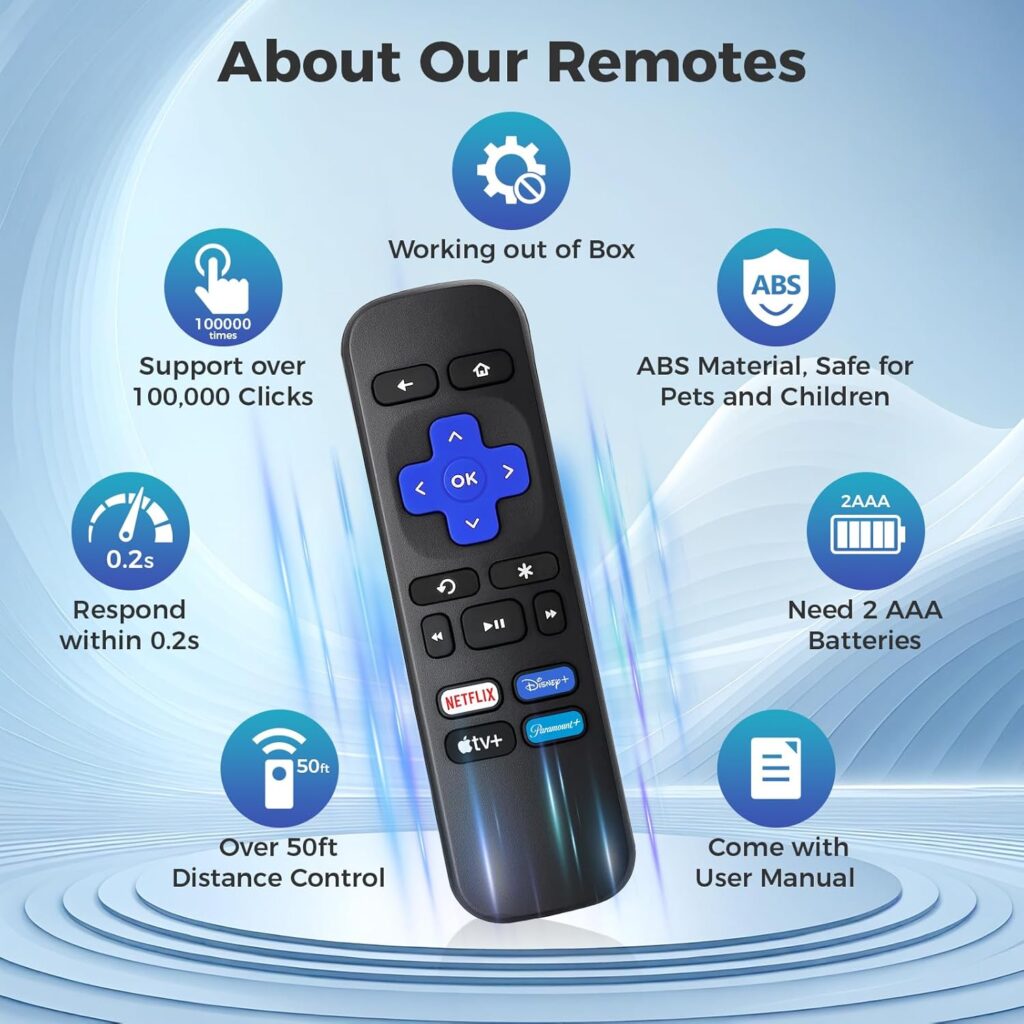
When you first receive EWOS Replacement Remote, the primary focus is on ergonomic comfort and button tactile feedback. Unlike many generic replacements, the EWOS model features:
- High-Elasticity Buttons: Tested for over 100,000 clicks to ensure long-term durability.
- ABS Material: The shell is made of high-grade ABS plastic, which is environmentally friendly and resistant to minor drops.
- Precision Layout: The button configuration mimics the traditional Roku interface, ensuring you don’t have to “relearn” how to use your TV.
3. Compatibility Matrix: Will it Work for You?
It is crucial to understand that this remote is an IR remote, not a Wi-Fi or Bluetooth remote.
Supported Devices:
- TCL Roku TV (All models)
- Hisense Roku TV (All models)
- ONN Roku TV
- Sharp Roku TV
- Westinghouse / Element / JVC / Sanyo Roku TVs
Not Supported:
- Roku Streaming Sticks: These require a “Pairing” button and Wi-Fi connection.
- Roku Boxes (Express, Premiere, Ultra): These usually require specific line-of-sight or RF pairing not covered by standard TV remotes.
- Generic Smart TVs: This remote will not work with Samsung, LG, or Sony TVs that do not have the Roku OS built-in.
How to Set Up Your EWOS Replacement Remote Control
The standout feature of this device is the Zero-Configuration setup. Since it is pre-programmed for the Roku OS frequency, the process is simple:
- Battery Installation: Open the back compartment and insert two fresh AAA batteries. Ensure the (+) and (-) polarities are aligned correctly.
- Point and Click: Aim the remote directly at the IR sensor of your TV (usually located at the bottom center or side of the screen).
- Testing: Press the Power button. If the TV responds, no further action is required.
5. Shortcut Buttons: Instant Access to Entertainment
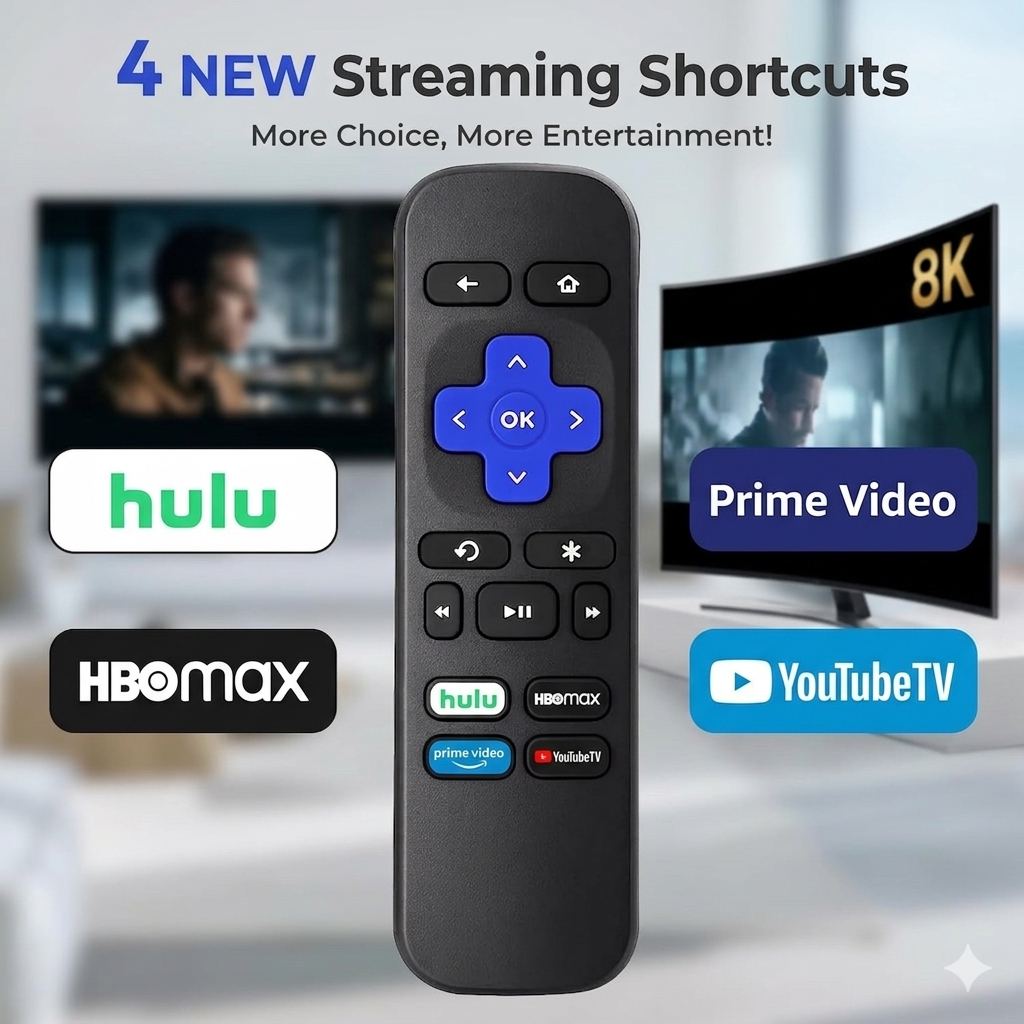
To enhance the user experience, the EWOS Replacement Remote includes four dedicated pre-set shortcut buttons. These allow you to bypass the home screen and jump directly into your favorite streaming platforms:
- Netflix: The world’s leading subscription service for movies and series.
- Disney+: Home to Marvel, Star Wars, and Pixar content.
- Hulu: Perfect for current-season TV shows and originals.
- Sling/Vudu: Rapid access to live TV or digital rentals.
6. Advanced Features and Performance
The EWOS Replacement Remote isn’t just a basic clicker; it’s optimized for the modern smart home environment.
Wide Angle Signal
The infrared transmitter is upgraded to allow for a wider signal arc. This means you don’t have to point the remote perfectly at the sensor. It offers flexibility whether you are lying on the couch or sitting at an angle.
Rapid Response Chip
Inside the remote is a high-speed chipset designed to reduce latency. When you press “Down” or “Select,” the TV reacts in approximately 0.2 seconds, providing a snappy, “Original Equipment Manufacturer” (OEM) feel.
7. Troubleshooting Common Issues
Even the best hardware can encounter hiccups. Here is a guide to resolving common problems:
My Remote is Not Working
- Check Obstructions: Since this is an IR remote, ensure there is nothing blocking the sensor on the TV.
- Battery Voltage: Weak batteries are the #1 cause of remote failure. Even if they are new, try a different brand.
- The Power Button works, but others don’t: This usually indicates a frequency mismatch. Ensure your TV is an actual Roku TV and not just a TV with a Roku Stick plugged into the back.
- By following these tips, your EWOS Replacement Remote will provide a seamless viewing experience for years to come.
Buttons are Sticky or Unresponsive
If a button requires a hard press, it may have dust buildup. A quick wipe with a slightly damp microfiber cloth (or a drop of isopropyl alcohol on a Q-tip) can often restore functionality.
8. Why Choose EWOS over the Original?
While the official Roku remotes are excellent, they are often expensive and hard to find for older TV models. The EWOS Replacement Remote provides several advantages:
- Cost-Effective: Typically 50% cheaper than the branded version.
- No Pairing Required: Avoid the frustration of “Searching for Remote” screens.
- Universal for Roku Brands: One remote can work on your TCL in the living room and your Hisense in the bedroom.
9. Conclusion
The EWOS Replacement Remote for Hisense/TCL/ONN/Sharp Roku TV is a high-performance, durable, and user-friendly solution for anyone in need of a replacement. By focusing on ergonomic design and instant compatibility, it ensures that your entertainment remains uninterrupted.
Whether you are looking for a backup remote or a primary replacement, the EWOS model stands out as a top-tier choice in the market of universal television accessories.
Comparison Table: EWOS vs. Standard Replacements
| Feature | EWOS Remote | Generic Replacements |
|---|---|---|
| Setup Time | 0 Minutes | 5-10 Minutes (Codes) |
| Durability | High (ABS Plastic) | Low (Thin Plastic) |
| Shortcuts | 4 Dedicated Keys | Varies |
| Warranty | Manufacturer Support | None |
The Ultimate Evolution of TV Navigation: A Deep Dive into the EWOS Replacement Remote for Roku Ecosystems
10. The Science of Infrared (IR) Technology in Modern Remotes
To understand why the EWOS Replacement Remote is so effective for Hisense, TCL, and SHARP Roku TVs, one must look at the underlying Infrared (IR) technology. Unlike Bluetooth or Wi-Fi remotes that require a “handshake” or pairing process, IR remotes communicate via pulses of invisible light.
The EWOS Replacement Remote uses a specific carrier frequency—typically 38kHz—which is the standard for the Roku OS infrared receiver. This is why the device works instantly out of the box. When you press a button, a coded signal is sent via an LED at the top of the remote, which the TV’s sensor decodes into a command like “Volume Up” or “Home.” This simplicity is its greatest strength, offering a reliability that wireless protocols sometimes lack due to interference from other household devices.
11. Ergonomics: Designed for the Human Hand
The physical design of the EWOS replacement remote is not an accident. Based on ergonomic studies of home entertainment users, the remote features a “contoured back” design. This prevents hand fatigue during long channel-surfing sessions.
As seen in image.png, the button placement is strategic. The most frequently used buttons—the D-pad (directional pad) and the “OK” button—are positioned exactly where the thumb naturally rests. This layout ensures that users can navigate their Roku TV interface entirely by touch, without needing to look down at the remote in a dark room.
12. Direct Comparison: EWOS vs. The BUXQE Replacement Remote
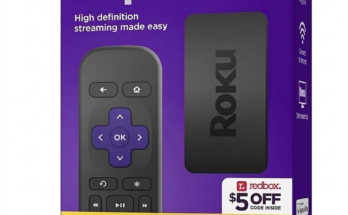
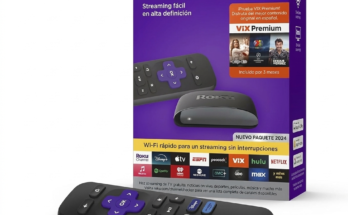
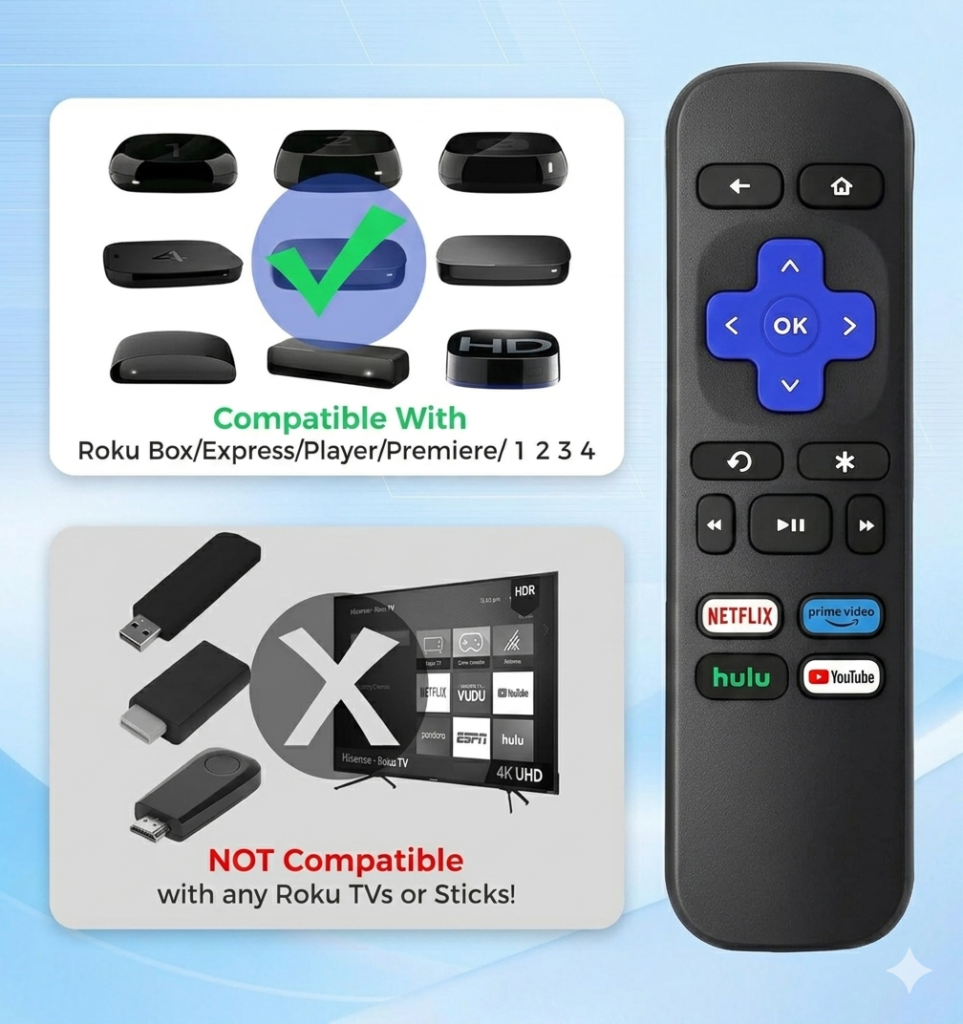
When browsing platforms like Amazon, you may encounter other options like the BUXQE Replacement Remote shown in image.png. It is vital to distinguish between these devices to ensure you get the right tool for your specific setup.
- Device Target: The BUXQE remote in image.png is specifically labeled for Roku Box, Express, Player, and Premiere. It explicitly states it is NOT for Any TVs or Sticks.
- The EWOS Advantage: Conversely, the EWOS remote is built specifically for integrated Roku TVs (TCL, Hisense, etc.).
- Feature Parity: Both remotes offer the standard 4-shortcut button layout and an ergonomic build, but their internal chipsets are programmed for different IR code sets. Using a “Box” remote on a “TV” often leads to the power and volume buttons failing to work.
13. Understanding the “No Voice Search” Trade-off
One detail that savvy consumers notice is that many replacement remotes, including the EWOS Replacement Remote and the model in image.png, do not feature a microphone for voice search. While this might seem like a drawback, it provides several benefits:
- Battery Longevity: Voice-enabled remotes use Wi-Fi Direct, which drains batteries significantly faster than IR. An EWOS Replacement Remote can often last 6–12 months on a single pair of AAA batteries.
- Privacy: For users concerned about “always-listening” devices in their living room, an IR-only remote provides peace of mind as there is no microphone hardware present.
- Simplicity: Without the need to pair the remote via a hidden button in the battery compartment, the setup is foolproof for elderly users or children.
14. Longevity and Maintenance: Keeping Your Remote Like New
To ensure your EWOS Replacement Remote lasts for years, follow these maintenance protocols:
- Avoid Battery Leakage: If you plan on not using the remote for more than a month, remove the batteries. Acid leakage from cheap batteries is the primary killer of remote circuit boards.
- Cleaning the Contacts: Over time, skin oils can build up on the buttons. Use a lint-free cloth to keep the surface clean.
- Signal Path: Ensure the IR window at the front of the remote isn’t scratched. A heavily scratched window can diffuse the light beam, reducing the effective range.
15. The Growing Market for Third-Party Remotes in Somalia and Globally
As a digital entrepreneur, it is interesting to note why brands like EWOS are dominating the market. In regions like United State, where shipping “official” parts from a manufacturer can be expensive or logistically difficult, high-quality third-party alternatives are essential.
The demand for these remotes is driven by the global popularity of the Roku OS. Because TCL and Hisense have become the “everyman’s” TV, the need for a standardized, affordable replacement remote has skyrocketed. The EWOS remote fills this gap by offering a premium feel without the premium price tag.
16. Technical Deep Dive: Why “Sticks” Are Different
A common point of confusion for users is why the EWOS Replacement Remote won’t work with a Roku Streaming Stick.
- Line of Sight: Sticks are usually plugged into the back of a TV, hidden from view.
- RF vs. IR: Because they are hidden, they use Radio Frequency (RF) or Wi-Fi, which can travel through walls and cabinets.
- IR Limitation: The EWOS Replacement Remote relies on “Line of Sight.” If the sensor can’t “see” the remote, the signal won’t reach it. This is why the EWOS is the perfect match for Roku TVs, where the sensor is always on the front bezel.
17. Environmental Impact of High-Grade ABS
EWOS prioritizes the use of ABS (Acrylonitrile Butadiene Styrene) plastic. This material is known for its impact resistance and toughness. From a sustainability perspective, using a durable remote like the EWOS prevents electronic waste; instead of replacing the entire TV or buying multiple cheap remotes that break within a month, a single sturdy EWOS unit provides a long-term solution.
18. Final Verdict: The Smart Choice for Your Home Cinema
The EWOS Replacement Remote represents the pinnacle of utility-focused design. By stripping away unnecessary complexities like Bluetooth pairing and voice microphones, it focuses on what matters most: speed, reliability, and compatibility.
Whether you are controlling a 75-inch Hisense Roku TV or a small TCL in the kitchen, this remote provides a consistent and responsive experience. It is a testament to the idea that sometimes, the simplest technology is the most effective.
FAQ: Frequently Asked Questions
Q: Does this remote work with the Roku Volume?
A: Yes. Since it is programmed for the TV’s internal Roku OS, it controls the system volume directly, unlike remotes for “Boxes” which often require separate TV brand programming.
Q: Why does the BUXQE remote in image.png say “NOT for Any TVs”?
A: That specific model is tuned to the frequency of standalone Roku players (like the Express or Premiere). The EWOS remote is tuned to the specific frequencies used by TV manufacturers like TCL and Sharp.
Q: Can I use this for my Amazon Fire Stick?
A: No. Fire Sticks use Bluetooth technology, whereas the EWOS uses Infrared.
At DailyDealSpot24, our testing suite for 2026 involves more than just plugging in a dongle.