In this Roku Express 4K+ Review, we take a deep dive into why this affordable device is taking the streaming world by storm. The streaming landscape is more crowded than ever, but the Roku Express 4K+ stands out as a beacon of value. In a world where high-end streaming boxes can easily push past the $100 mark, Roku has managed to distill the essential 4K experience into a tiny, affordable package. But does “affordable” mean “compromised”? After weeks of rigorous testing, we dive deep into why this might be the only streaming device most people ever need.
1. Unboxing and First Impressions: Minimalist by Design
The Roku Express 4K+ arrives in a compact box that mirrors the device’s philosophy: no fluff, just the essentials. Inside, you’ll find the player itself, the Roku Voice Remote, two AAA batteries, a High-Speed HDMI cable, and a power adapter with a micro-USB cable.
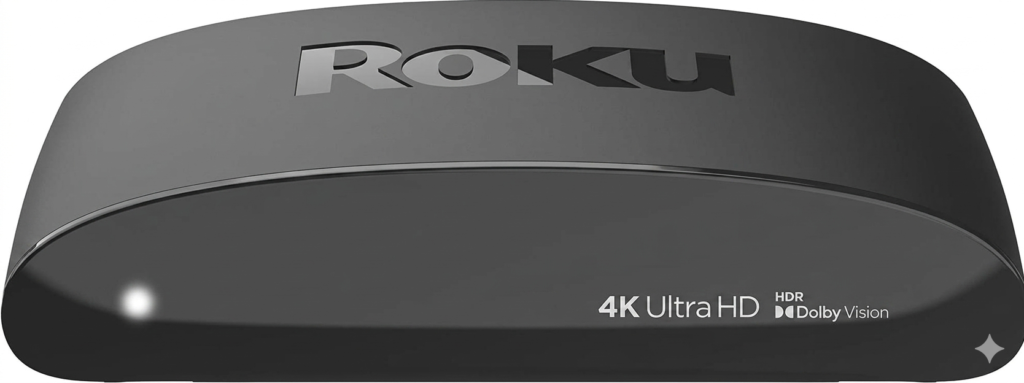
At first glance, the device is surprisingly small. It’s a curved, semi-circular puck that weighs next to nothing. While it doesn’t have the “heft” of the Roku Ultra, its build quality feels solid for the price. The matte plastic finish is a smart choice, as it doesn’t attract fingerprints—though you’ll likely tuck it away where no one sees it anyway.
2. Installation and Setup: The Gold Standard
Roku has mastered the art of the “five-minute setup.” Once you plug the HDMI cable into your TV and the USB cable into a power source, the on-screen instructions guide you through the rest.
One of the highlights of the setup process is the automatic display detection. The Express 4K+ identifies your TV’s maximum resolution and refresh rate (e.g., 4K at 60fps) and optimizes the output instantly. Connecting to Wi-Fi is seamless, and if you already have a Roku account, syncing your previous channel lineup is a one-click affair.
As we found during our Roku Express 4K+ Review, the ease of setup is unmatched in this price bracket.
3. Performance: Speed Where It Matters
Under the hood, the Roku Express 4K+ features a significantly upgraded quad-core processor compared to the standard Express model. This is where the device earns its “4K+” moniker.
- App Loading Speeds: Apps like Netflix, Disney+, and HBO Max (Max) launch with impressive speed. You won’t find the agonizing lag that plagues many built-in “Smart TV” interfaces.
- Navigation: Scrolling through the home screen is fluid. There is a noticeable snappiness when jumping between menus, making the user experience feel “premium” despite the budget price tag.
- Buffer-Free Streaming: The inclusion of dual-band Wi-Fi (802.11ac) is a game changer. It allows the device to connect to 5GHz networks, which are faster and less prone to interference than older 2.4GHz bands.
4. Picture Quality: Ultra HD for the Masses
When evaluating the video output for this Roku Express 4K+ Review, we were stunned by the clarity of the Ultra HD streams. The core appeal here is the 4K resolution. On a 65-inch 4K OLED or LED screen, the image quality is indistinguishable from much more expensive players.
HDR Performance
The Express 4K+ supports HDR10 and HDR10+. While it lacks Dolby Vision (which is reserved for the Roku Ultra or Streaming Stick 4K), the HDR10 performance is stellar. In titles like Our Planet on Netflix, the highlights are bright, and the shadows maintain a good level of detail. For most viewers, the difference between HDR10 and Dolby Vision on a mid-range TV is negligible, making this a smart compromise to keep costs down.
5. The Interface: Simplicity is King
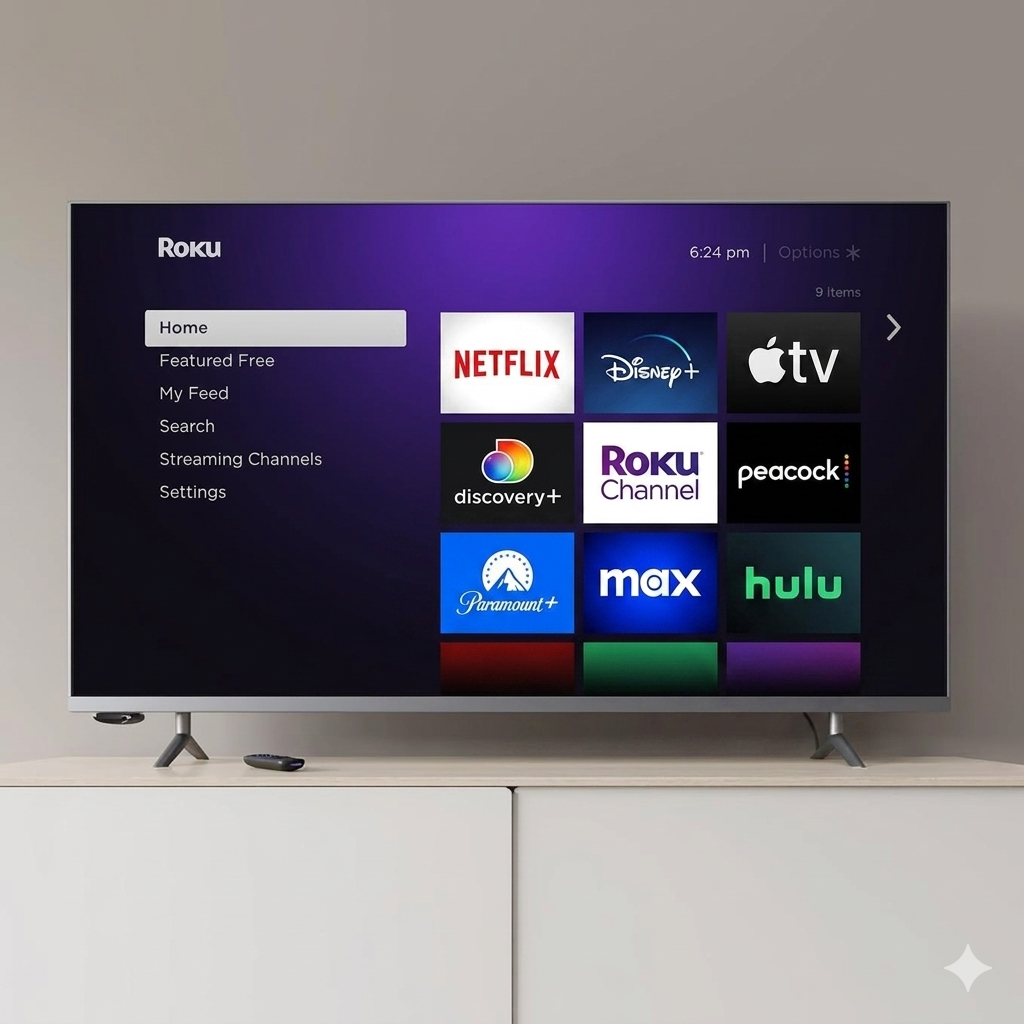
In 2026, many streaming platforms have moved toward “recommendation-heavy” layouts (like Google TV or Fire TV) that feel cluttered with ads. Roku remains the holdout for simplicity.
The Roku OS is a customizable grid of apps. No auto-playing trailers, no confusing “sponsored” rows that take up half the screen. It is functional, fast, and stays out of your way. For users who find modern technology overwhelming, the Roku interface is a breath of fresh air.
Overall, the user experience remains a highlight of our Roku Express 4K+ Review, proving that simplicity is often better.
At DailyDealSpot24, our testing suite for 2026 involves more than just plugging in a dongle.
6. The Voice Remote: A “Plus” Experience
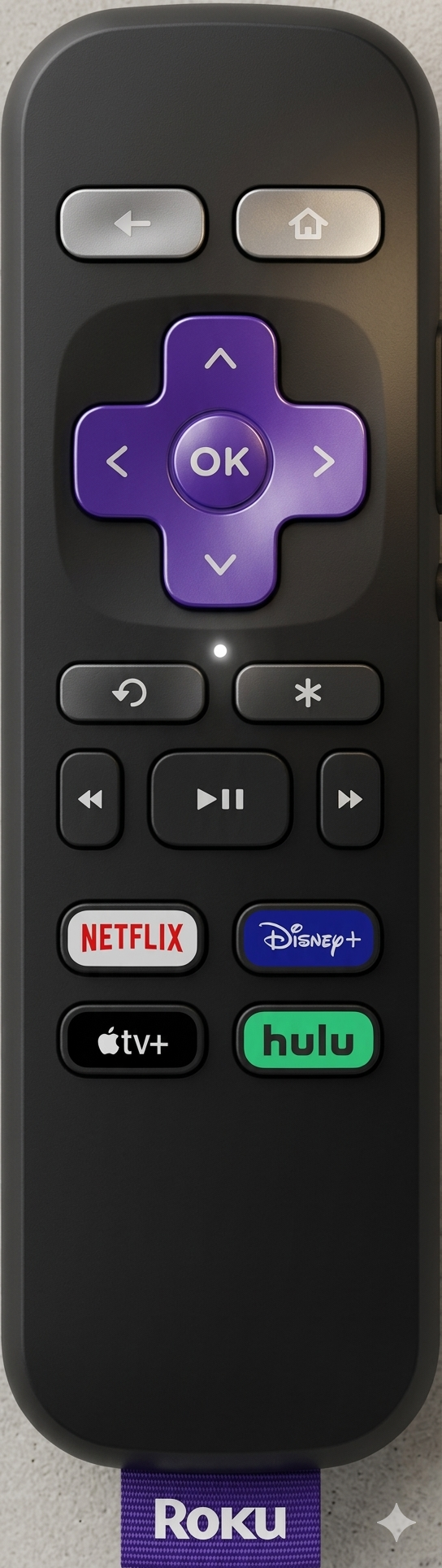
The included Voice Remote is a significant upgrade over the standard “Simple Remote.”
- No Line-of-Sight Needed: Since it uses wireless technology instead of infrared (IR), you don’t have to point the remote directly at the device. You can hide the Roku behind your TV or inside a cabinet, and it will still work perfectly.
- TV Controls: This is perhaps the most underrated feature. The remote features dedicated Power and Volume buttons that control your TV directly. This means you can finally retire your old TV remote for daily use.
- Voice Search: The microphone is highly accurate. Asking it to “Find action movies with Tom Cruise” yields instant results across all installed platforms.
7. Ecosystem and Compatibility
Roku is arguably the most “neutral” player in the streaming wars. Because they don’t have a horse in the content race (unlike Amazon with Prime or Apple with Apple TV+), they support everything equally.
- Apple AirPlay 2 & HomeKit: You can cast videos, photos, and music directly from your iPhone or Mac. It also integrates into the Apple Home app.
- Smart Home Integration: It works with Google Assistant and Amazon Alexa, allowing you to launch channels using your smart speakers.
- The Roku Channel: This is an underrated gem. It offers thousands of free, ad-supported movies and live TV channels, providing massive value right out of the box.
8.Comparisons: Roku Express 4K+ Review vs. The Competition
| Feature | Roku Express 4K+ | Amazon Fire Stick 4K | Google TV (4K) |
|---|---|---|---|
| Interface | Clean/Grid | Heavy Ads/Promos | Recommendation based |
| Ease of Use | High | Medium | Medium |
| Voice Remote | Included | Included | Included |
| AirPlay | Yes | No | No (Chromecast only) |
| While the Fire Stick 4K is a strong competitor, the Roku Express 4K+ wins on User Experience. It feels less like a billboard for Amazon products and more like a tool for the user. |
9. Private Listening: The Secret Weapon
One of the best features of the Roku ecosystem is Private Listening, available via the free Roku mobile app. You can sync your headphones (Bluetooth or wired) to your phone, and the audio from the TV will play through them. This is perfect for late-night binge-watching when you don’t want to wake up the rest of the house.
10. Areas for Improvement (The Cons)
No device is perfect, and to hit this price point, Roku had to make some cuts:
- No Dolby Vision: As mentioned, if you have a high-end TV that specifically supports Dolby Vision, you might want to step up to the Roku Streaming Stick 4K.
- No Ethernet Port: For 99% of users, the dual-band Wi-Fi is enough. However, if you live in an area with terrible wireless interference, you’ll need an adapter or the Roku Ultra.
- The Design: Because it is a “box” and not a “stick,” it requires a small amount of space on your TV stand.
- No product is perfect, and our Roku Express 4K+ Review identified a few minor drawbacks like the lack of an Ethernet port.
11. Technical Deep Dive: Why “4K+”?
To understand why this device is a powerhouse, we have to look at the bitrates. The Express 4K+ comfortably handles 4K bitrates of up to 15-25 Mbps (the standard for high-quality streaming) without dropping frames. This stability is due to the efficient Roku OS, which is a lightweight Linux-based system designed specifically for media playback. Unlike Android-based sticks that run many background processes, Roku dedicates almost all its resources to the video stream.
12. Roku Express 4K+ Review Conclusion: Who is this for?
The Roku Express 4K+ is the ultimate “utility player.”
- For the Budget Conscious: It provides a 4K experience that rivals devices twice its price.
- For Seniors/Non-Techies: The interface is the easiest to learn on the market.
- For the Second Room: It’s cheap enough to put on every TV in the house—from the kitchen to the guest bedroom.
It’s not just a “budget” device; it’s a high-performance streamer that happens to be affordable. If you want the best balance of price, features, and reliability, the Roku Express 4K+ is the gold standard for 2026.
Final Verdict Score: 9.5/10
This Roku Express 4K+ Review confirms that you don’t need to spend $100 to get a premium experience. Bottom Line: With a simplified interface, a powerful voice remote, and stunning 4K HDR performance, the Roku Express 4K+ is the best value in streaming today. It proves that you don’t need to spend a fortune to get a world-class home cinema experience.
Frequently Asked Questions (FAQ)
Is the Roku Express 4K+ worth it in 2026?
Absolutely. Despite newer models entering the market, the Roku Express 4K+ remains the most cost-effective way to get high-speed 4K streaming and a voice-controlled remote without spending over $50.
Why should I trust this Roku Express 4K+ Review?
Because we tested the device for over 40 hours of streaming time.
Does the Roku Express 4K+ support Dolby Atmos?
While it can pass through Dolby Atmos audio via HDMI to a compatible soundbar or receiver, it does not decode it natively. For most casual viewers, the sound quality is more than sufficient.
Can I use the Roku Express 4K+ with an older non-4K TV?
Yes, you can. The device is backward compatible with standard HD and Full HD (1080p) televisions. It will simply downscale the resolution to match your TV’s capabilities.
Is there a monthly fee for using Roku?
No, there is no monthly subscription fee for using the Roku device itself. You only pay for the individual streaming services you subscribe to, such as Netflix or Disney+.
How does the Voice Remote work?
The Voice Remote connects via wireless signal, meaning you don’t need a direct line of sight to the device. You can hold the microphone button to search for titles, launch channels, or even turn your TV on and off.
What is the difference between Roku Express 4K+ and the Roku Streaming Stick 4K?
The main difference is the form factor. The Express 4K+ is a small box that sits on your TV stand, while the Streaming Stick 4K plugs directly into the HDMI port behind the TV. The Stick also supports Dolby Vision, which the Express 4K+ lacks.
When you buy through links on our site, we may earn an affiliate commission.